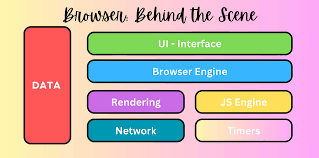
A web browser (like Chrome, Firefox, Safari) is a program that lets you visit and view websites on the internet.
This is like giving the browser an address to go visit.
It sends a request over the internet to the server that hosts the website. Think of the server as the computer that stores the website's files.
These are mostly HTML, CSS, and JavaScript files.
HTML: The structure (like headers, paragraphs, images). CSS: The style (colors, fonts, layout). JavaScript: The behavior (like buttons that react when clicked).
he browser turns code into what you see and interact with.
Everything you write—HTML, CSS, JS—is interpreted by the browser. Knowing how it works helps you write better, faster, and more compatible websites.